
Click here to view this article in full screen.
Note: To add handheld operators and mailroom staff you must be a member of the mailroom manager, company admin, or finance security access groups.
You can watch our video, and/or follow our step by step instructions below!
Click here to view video in full screen.
- Open the PS|Track web application.
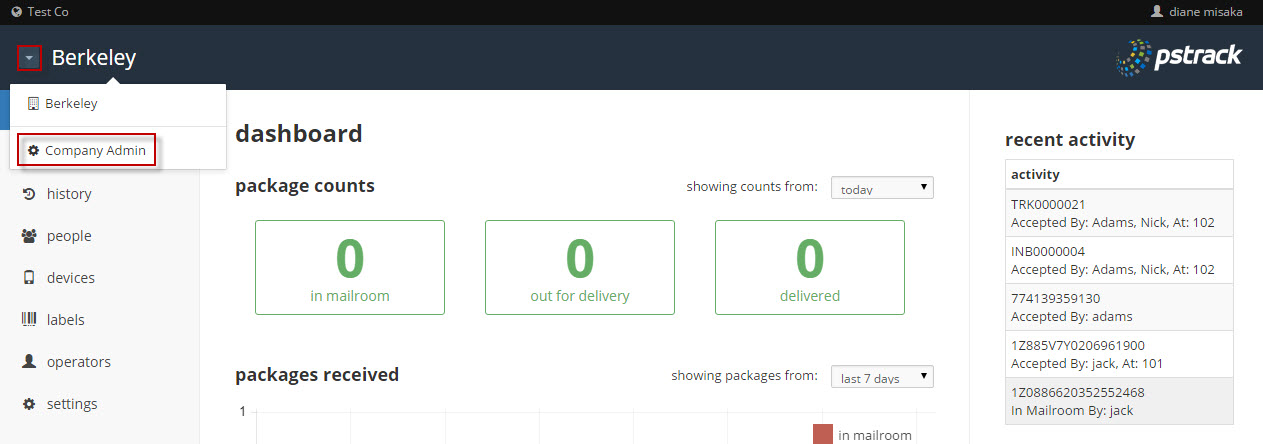
- Above the left menu, click on the down arrow and select Company Admin.
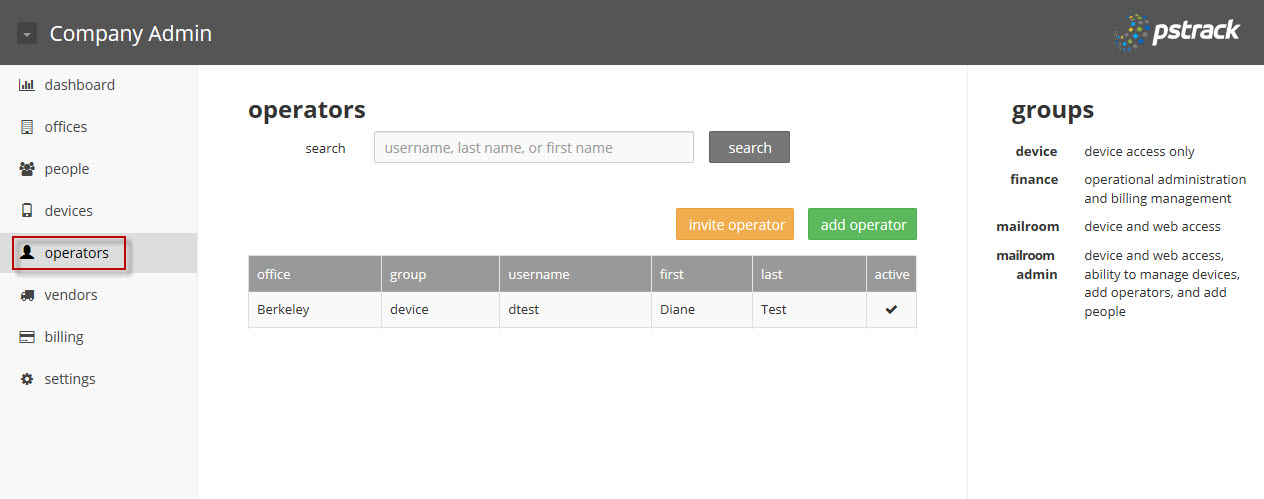
- From the left menu of the Company Admin page, click on the operators button.
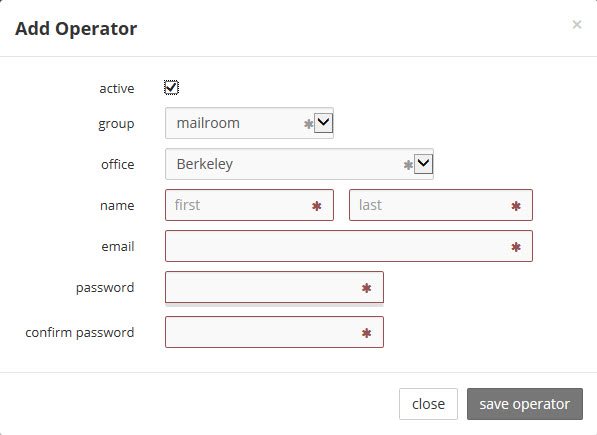
- To add an operator, click on the green add operator button and fill out the information as indicated below. (This option is also available from the left menu of the individual office page(s) by clicking the operator button.) Fields with an asterisk are required. Click on the gray save operator button when finished.
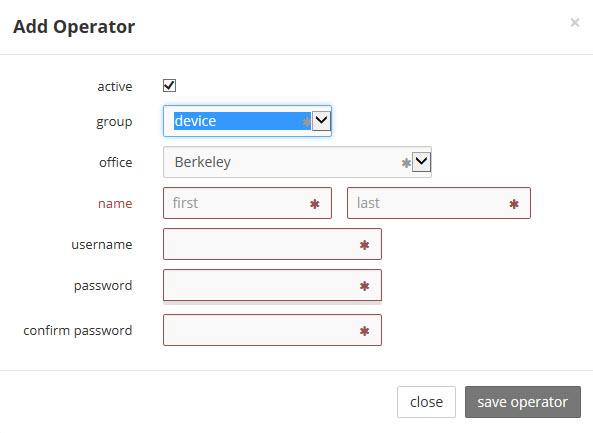
- When adding users, pay careful attention to the group the user is added to as this controls their access rights. The group descriptions are listed on the right of the page. Also, note that users in the device group do not need an email address,but do need a username. The username must be all lowercase.
0 Comments